Company
Working with Recruiters
How to communicate with recruiters, manage recruiter access to your roles, and build productive partnerships.
Recruiter Access
When you publish a role, vetted recruiters can browse and join it. You can control access by setting a maximum number of recruiters per role. Once the limit is reached, no new recruiters can join.
You can view all recruiters working on a role from the role detail page. Each recruiter card shows their specializations, placement history, and submission stats for your role.
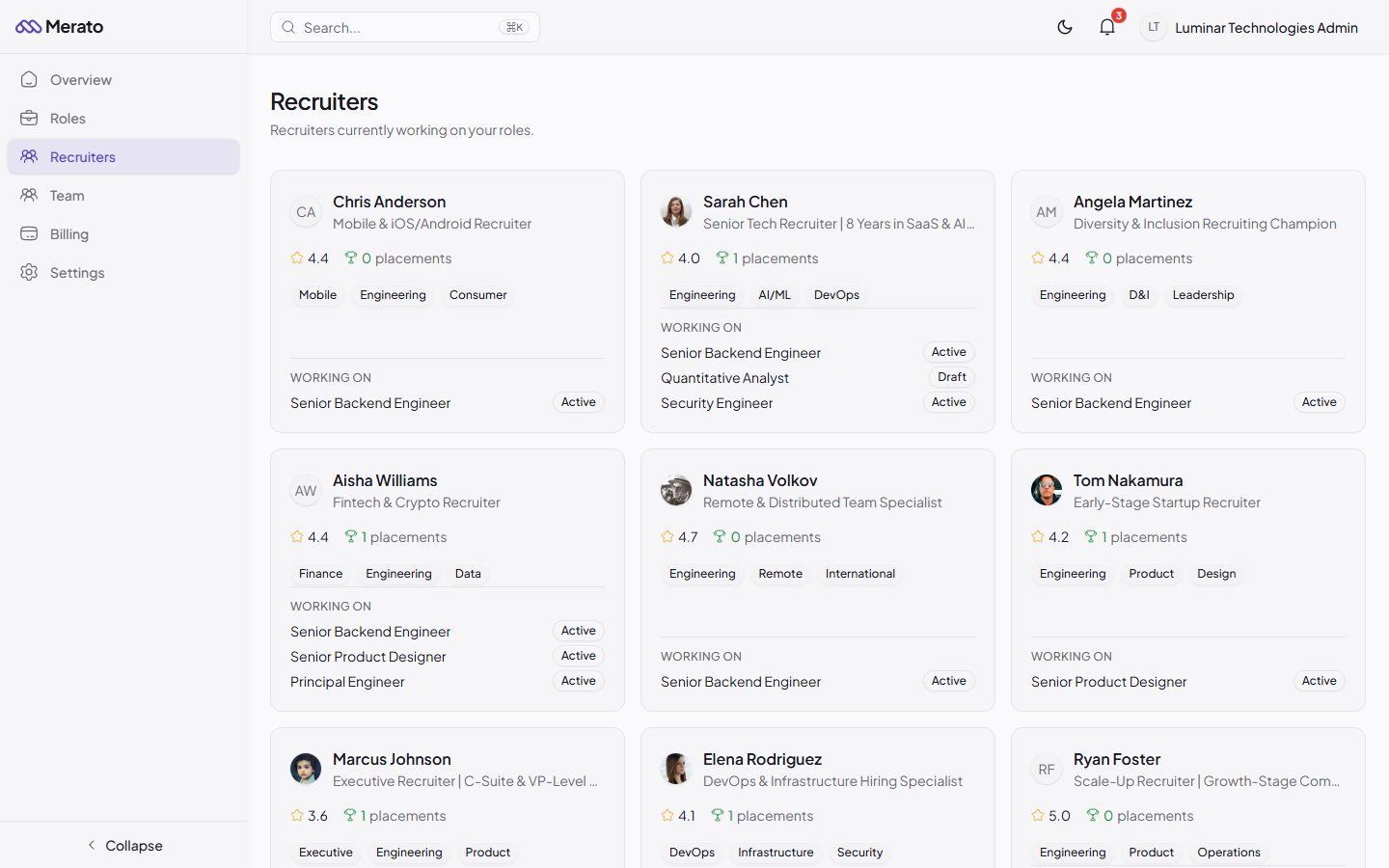
Recruiters page showing recruiter cards with ratings, placement counts, specialization badges, and active roles - Screenshot coming soon
Communicating with Recruiters
Each candidate submission has a message thread where you can communicate directly with the recruiter. Use these threads to:
- Ask for additional candidate details or context.
- Share feedback on the submission quality.
- Coordinate interview scheduling.
- Discuss candidate availability and timeline.
Notification preferences
Messages trigger real-time notifications. If you're offline, you'll receive an email notification after a 5-minute delay. Configure your notification preferences in Settings.
Was this helpful?