Recruiter
Joining a Role
How to join a role, what it means, and how role limits work.
How to Join
When you find a role you want to work on, click Start Recruiting on the role detail page. This adds the role to your Active Roles list and signals to the company that you're sourcing candidates.
Recruiter limits
Each role has a maximum number of recruiters who can work on it (set by the company, default 10). Once the limit is reached, the "Start Recruiting" button is disabled. Popular roles fill up fast.
After You Join
Once you've joined a role, you gain access to:
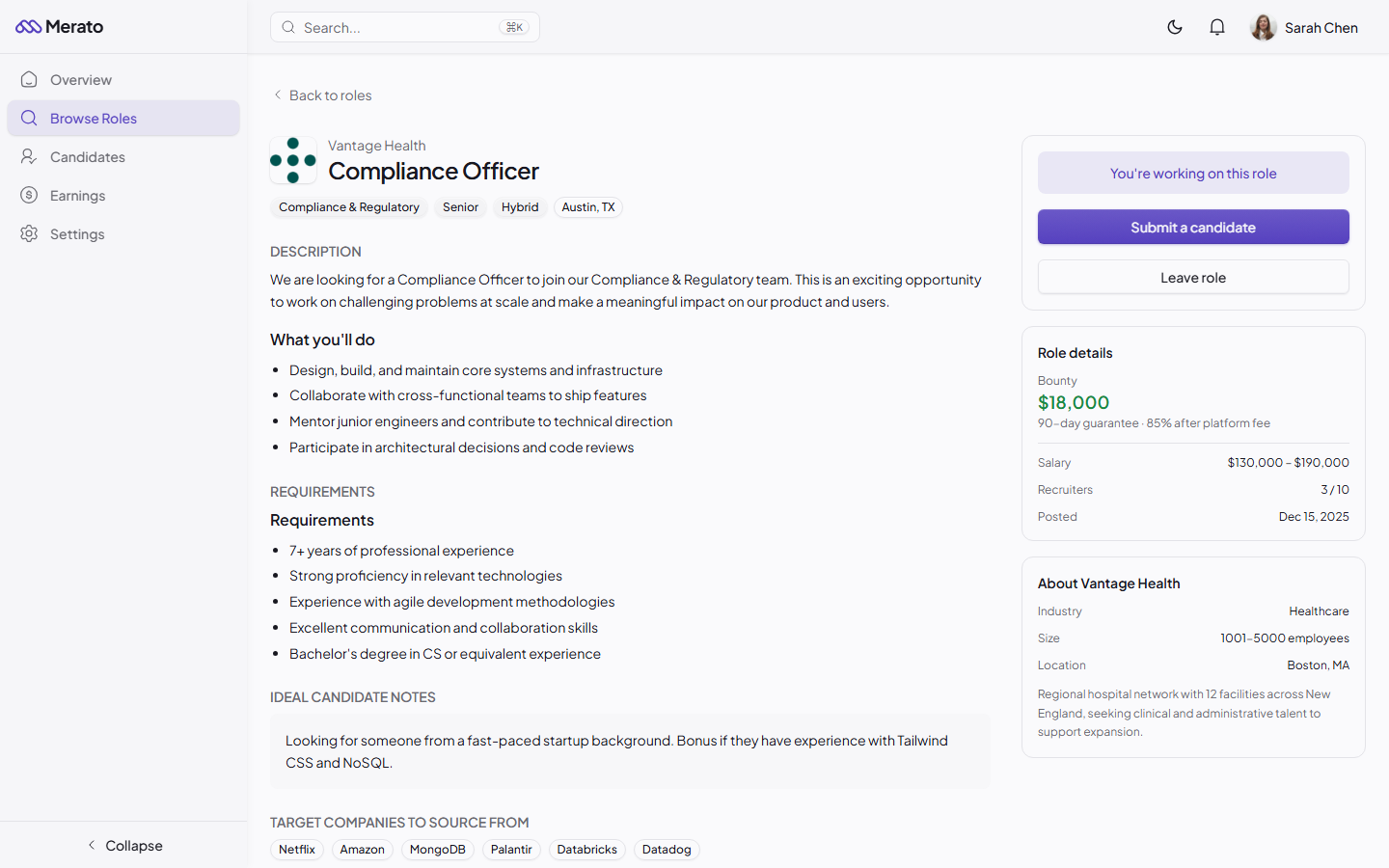
Joined role detail page showing additional information like ideal candidate notes and target companies - Screenshot coming soon
- Ideal candidate notes - Private notes from the company about exactly who they're looking for.
- Target companies - Specific companies the hiring manager wants you to source from.
- Submission ability - You can now submit candidates to this role.
- Role updates - Notifications when the role is edited, paused, or filled.
Was this helpful?