Recruiter
Browsing and Filtering Roles
Find the right roles to work on using search, filters, and sorting options.
Finding Roles
The Roles page in your recruiter dashboard shows all active roles on the platform. Use the search bar and filters to narrow down roles that match your expertise and network.
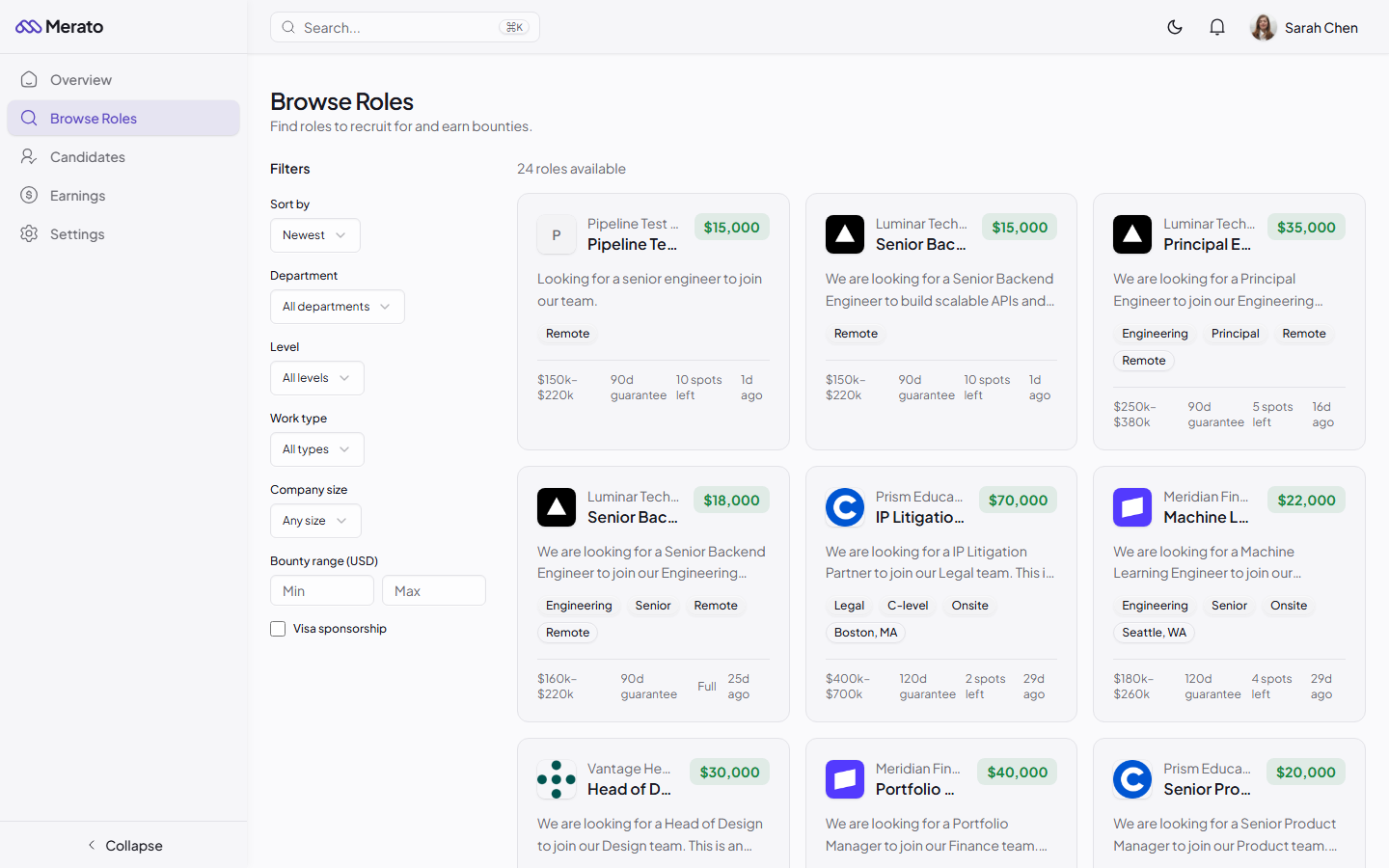
Browse Roles page showing filter sidebar with department, level, work type, company size, and bounty range options, alongside a grid of role cards with bounty amounts - Screenshot coming soon
Available Filters
- Role type - Engineering, Design, Sales, Marketing, Product, and more.
- Seniority level - Junior, Mid, Senior, Staff, Principal, Executive.
- Bounty range - Slider to set your minimum bounty threshold.
- Work type - Remote, hybrid, or onsite.
- Visa sponsorship - Toggle to show only roles offering sponsorship.
- Company size - Filter by startup stage or company size.

Recruiter role detail page showing company information, job description, bounty details, and action buttons - Screenshot coming soon
Sorting Options
Sort roles by newest (most recently posted), highest bounty, or most responsive (companies with the fastest review times). The "most responsive" sort helps you prioritize companies that provide quick feedback on submissions.
Was this helpful?