Company
Setting Up Your Company Profile
Complete the company onboarding wizard to start posting roles and receiving candidate submissions.
The Onboarding Wizard
After signing up as a company, you'll be guided through a multi-step onboarding wizard. This information helps recruiters understand your company and the types of candidates you're looking for.
1
Company basics
Enter your company name, website URL, and upload your logo. This information appears on all your role listings.
2
Company details
Select your industry, company size, location, and add a brief description. Recruiters use this to decide which roles to work on.
3
Tech stack (optional)
Add the technologies your team uses. This helps recruiters find candidates with relevant technical skills.
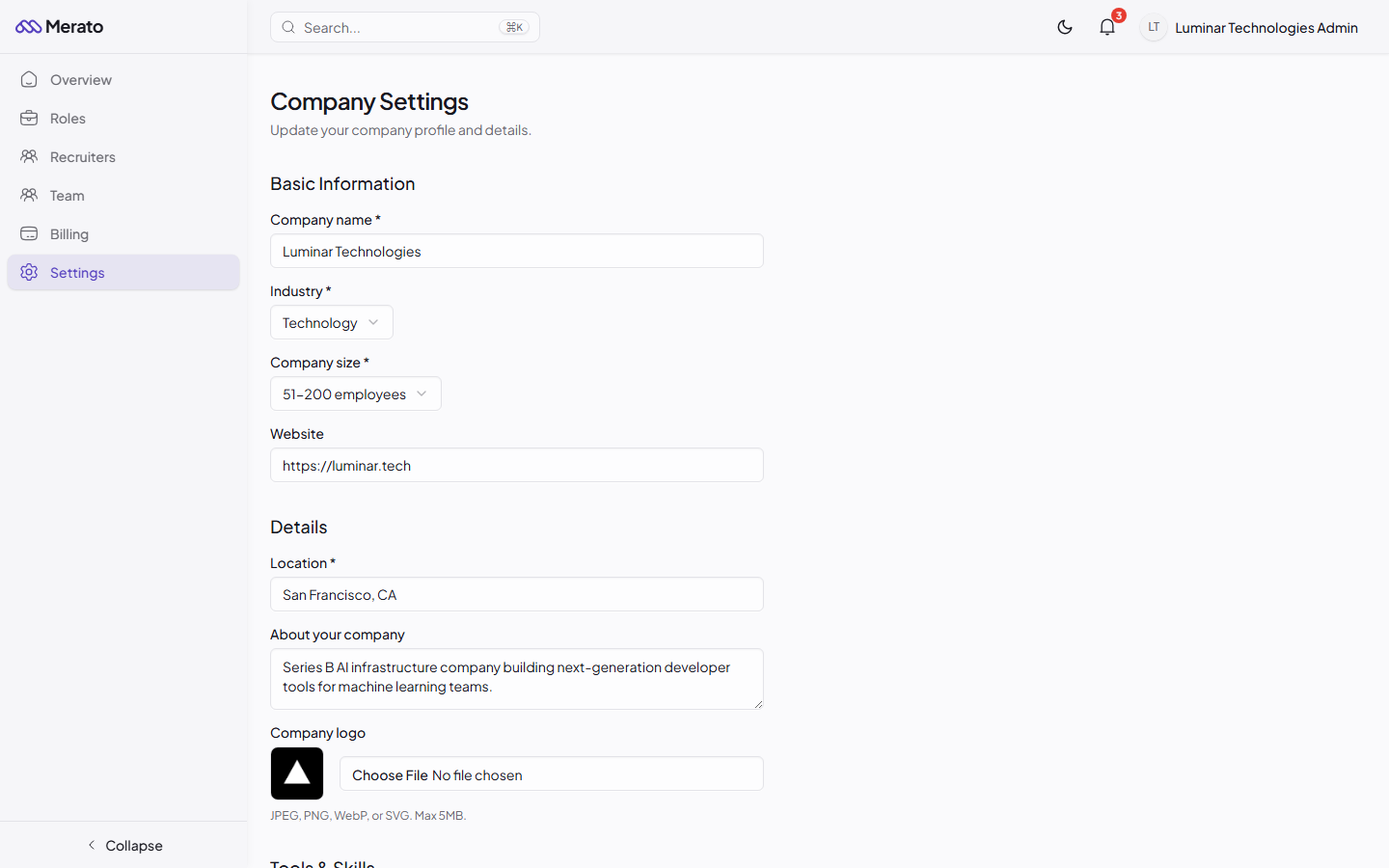
Company settings page showing company name, website, logo, industry, size, and description fields - Screenshot coming soon
Tips for a Strong Profile
- Upload a high-quality logo - Companies with logos receive 3x more recruiter interest.
- Write a compelling description - Explain what makes your company unique and why candidates should be excited to join.
- Be specific about your tech stack - This helps recruiters source candidates with the right technical background.
- Keep your profile updated - As your company grows, update your size, location, and description to attract the right candidates.
Company verification
After completing onboarding, our team may verify your company. Verified companies get a badge on their profile and receive higher-quality submissions from top-tier recruiters.
Was this helpful?